iPhone, iPad and Android
You started six shows.
Which one were you on?
Showpile remembers the season, the episode and the night you stopped. Open it, see where you left off, press play. That's the whole idea.
- Free
- No ads
- You can try it without an account
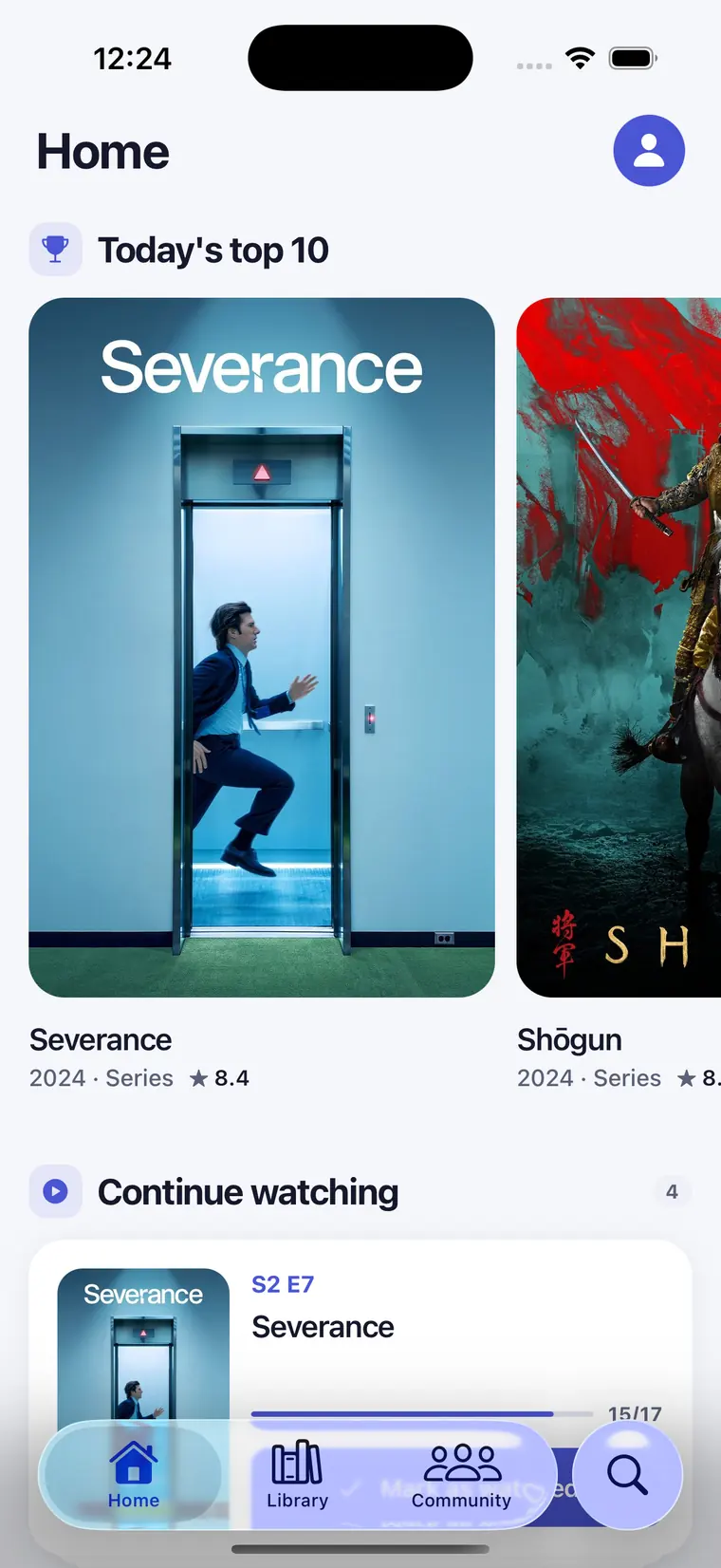
How it works
Three steps, then it runs itself.
Add what you're watching
Search a film or series and add it to your library. Nothing to import, no account to connect — it takes a few taps.
Tick episodes off
Mark an episode watched and Showpile holds on to the season, the episode and the date. Next time you open it, it tells you where you stopped.
Let it tell you what's next
Turn alerts on and the calendar names the day the next episode lands. Nothing to check, nothing to keep in your head.
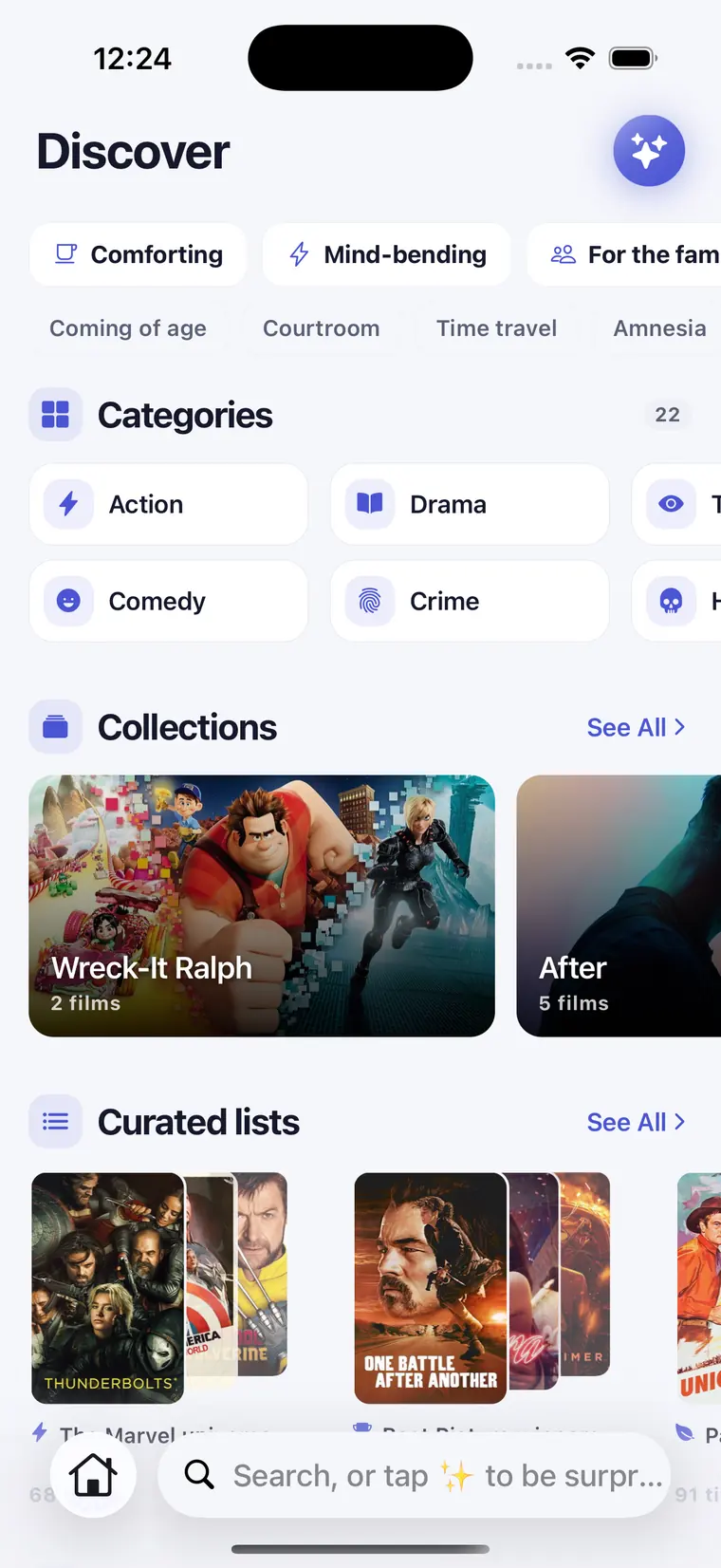
Discover
No idea what to watch? Start here.
Browse by mood, genre or decade, or open a collection someone else put together. Every film and series shows its rating, its synopsis and where it already sits in your library — one tap and you're tracking it.
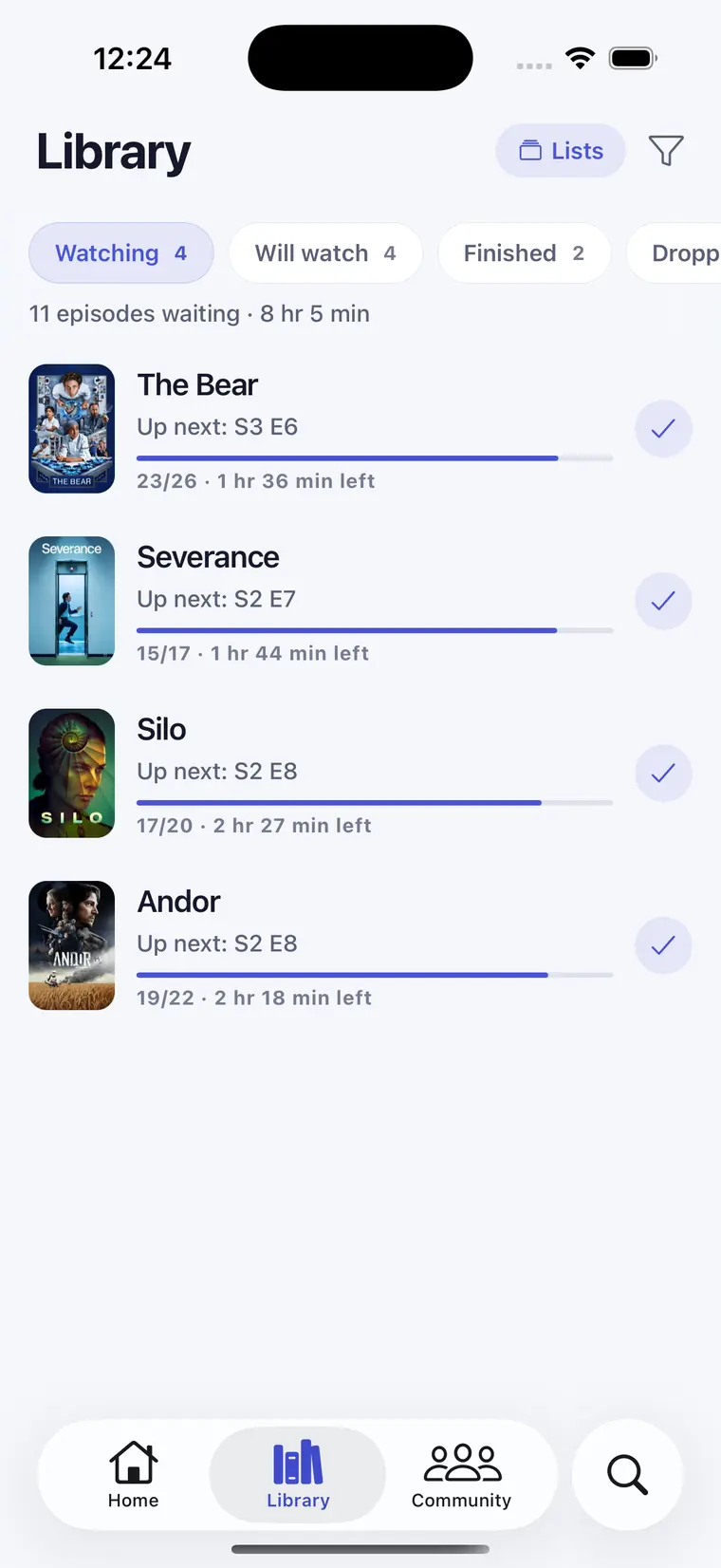
Your library
Everything you're watching, on one screen.
Stop opening three apps to remember what you were halfway through. Filter by watched, unwatched or your own lists, and tick something off right from the grid.
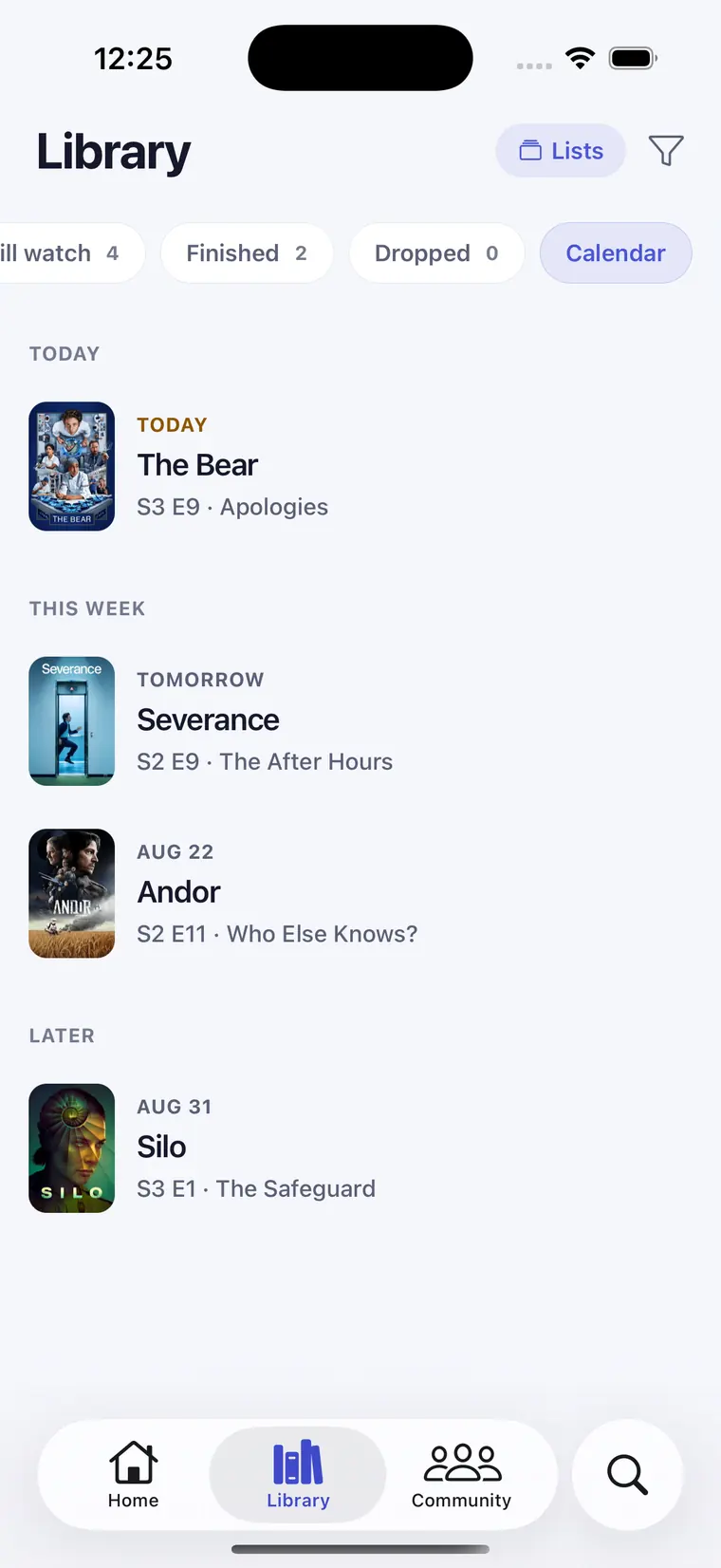
Watch calendar
You'll know the day it comes back.
Every show you follow, laid out as this week and later. Switch alerts on and the new episode finds you, instead of you going looking for it.
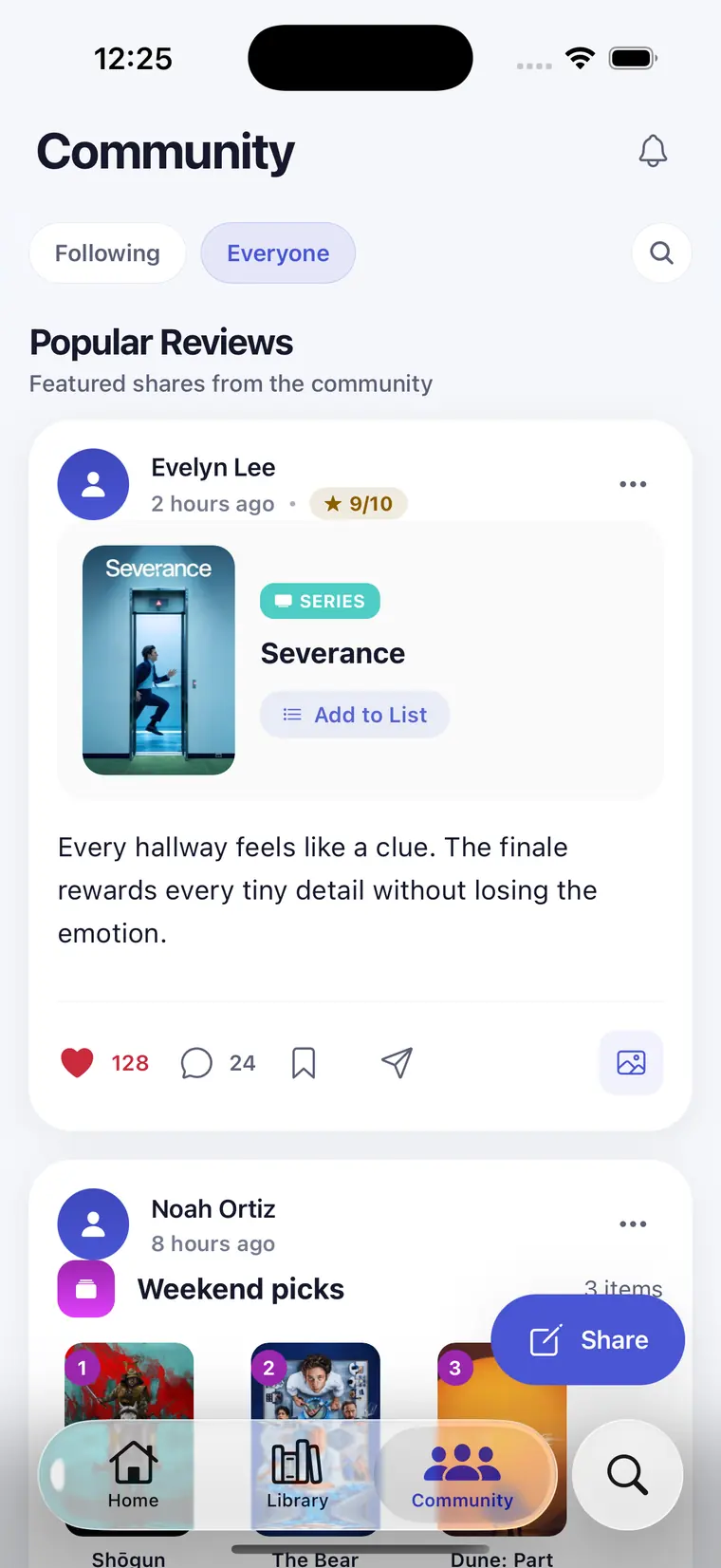
Community
Ask people who actually watched it.
Ratings and reactions from real viewers, not a recommendation engine. Find the ones whose taste matches yours and follow what they watch.
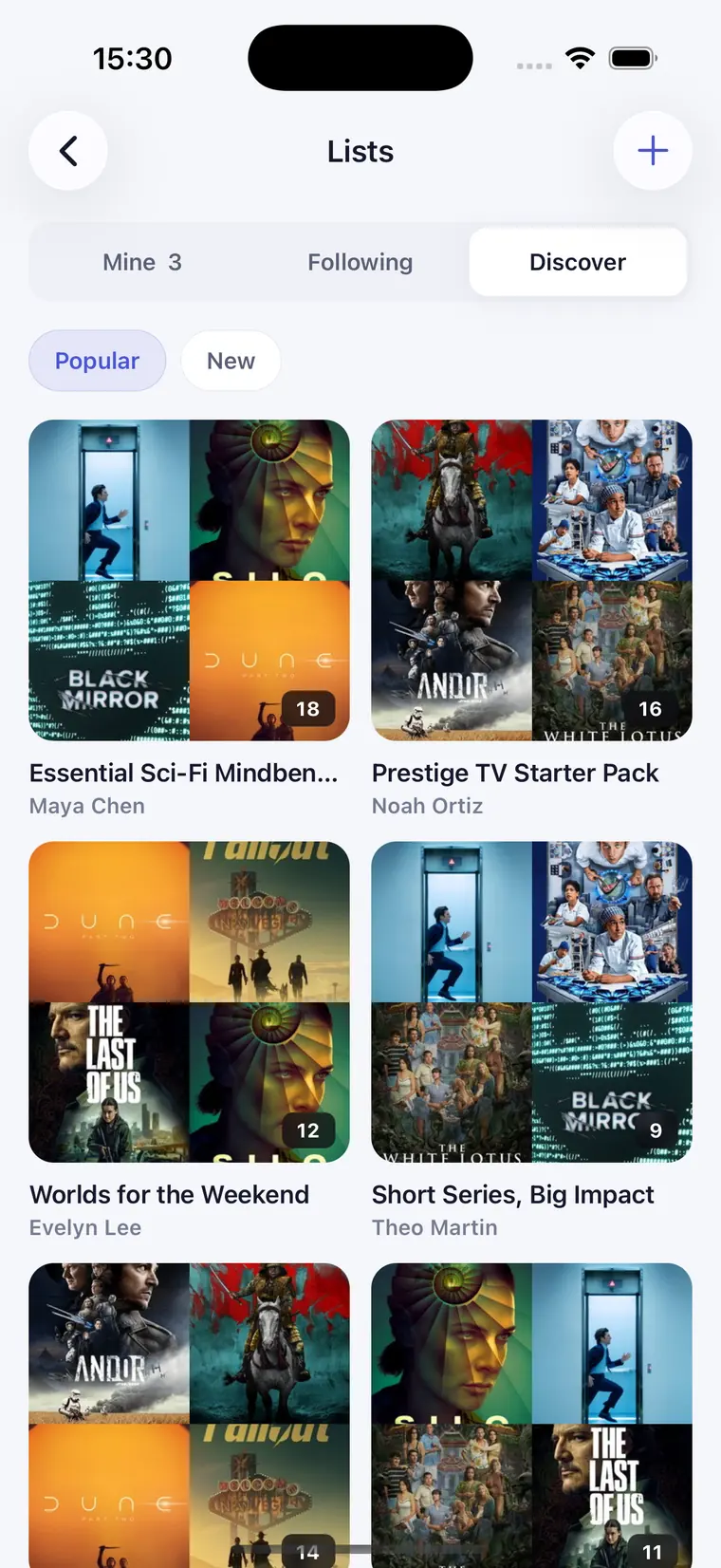
Lists
Make a list. Send the link.
Group films and series however makes sense to you — a quiet backlog for yourself, or a shared list for the group chat. Private or public, you decide.
A few more things.
Speaks your language
Ten languages, with titles and details localised for your region — not just translated buttons.
Kind to your eyes at 1 a.m.
A dark theme built for choosing something to watch after you've already turned the lights off.
Nothing follows you
No ads, no advertising SDKs, no analytics trailing you around. What you watch stays between you and the app.
Common questions
Something broken, confusing, or missing? Write to us — a person reads every message.
SupportDo I need an account?
No, not to look around. You do need one to save your library, sync between devices and post publicly — without an account there's nowhere to store your progress.
I changed phone. Where did my list go?
Sign in with the same account and your library, watch status and episode progress come straight back. If you tracked things without signing in, that data only ever lived on the old device.
How do I cancel a subscription?
It depends on where you subscribed. On iPhone or iPad, Apple handles the billing: Settings, tap your name, then Subscriptions. On Android, Google Play does: open the Play Store, tap your profile picture, then Payments & subscriptions → Subscriptions. Cancelling there stops the renewal — the app can't cancel it for you.
Why is a title missing or wrong?
Film and series data comes from TMDB. If something is missing or incorrect there, it will be missing here too. Tell us and we'll look into it.
How do I delete my account?
Settings, then Account, then delete account. That removes your profile and the content attached to it. If you can't reach that screen, email us and we'll take care of it.
Is there an Android version?
Yes. Showpile is on Google Play, with the same library, calendar and lists as on iPhone and iPad.

Pick something tonight.
Free on the App Store and Google Play. Have a look around without an account — sign in when you want your list on every device.